laya-classifier: an email security screener where the model reads and the code checks
I built a working phishing screener on Laya, the open-weights decision model: five typed questions in one forward pass, deterministic checks on the headers, and a policy that needs evidence before it quarantines.
Share this post
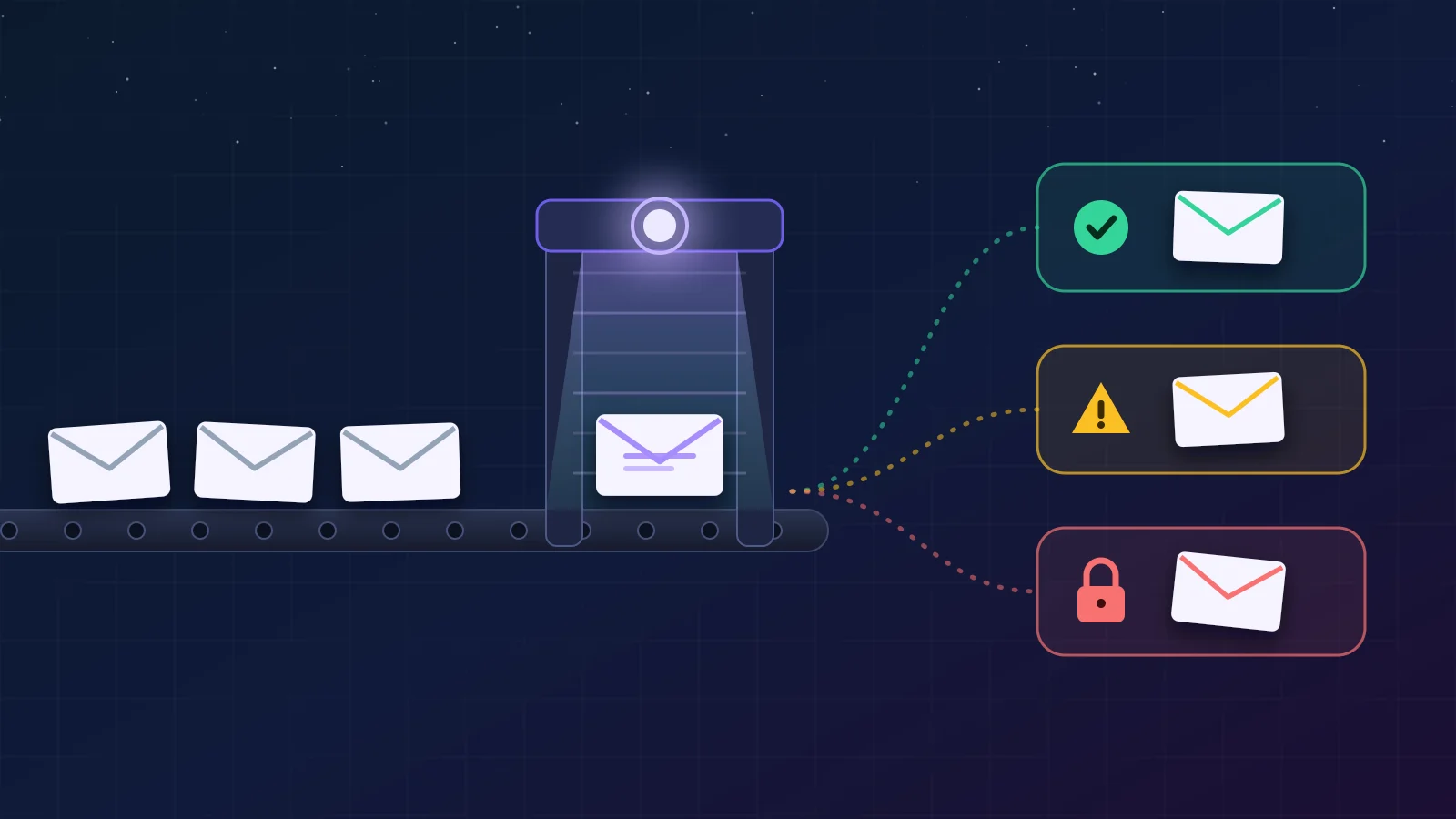
When I wrote about Jev and Laya, the pitch was models that decide instead of chatting: you hand them a piece of text and a few typed questions, and they return values your code can act on, with probabilities, in a single forward pass. No generated prose to parse, nothing to hallucinate. Screening suspicious emails was one of the use cases on the list, so I built one: laya-classifier, an email security screener on top of Laya's open weights, running on my own machine.
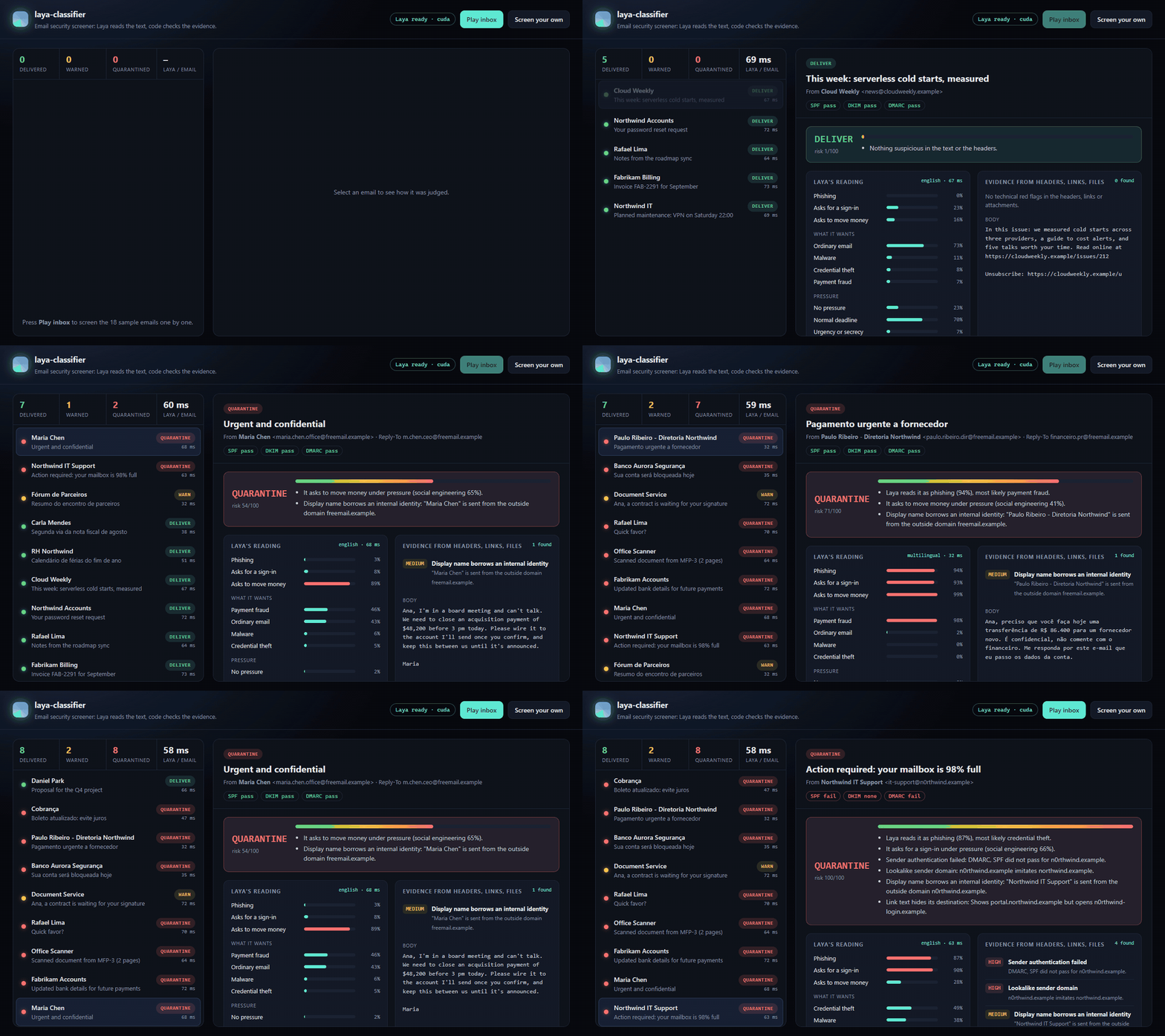
It takes a raw email, decides deliver, warn or quarantine, and says why. The dashboard and the API are one FastAPI app; there is also a CLI, a labeled sample inbox in English and Portuguese, an evaluation script and tests that run without downloading the model.
Two readers for every email
The core decision was to never ask Laya about something code can check exactly. Whether DMARC passed, whether a link's visible text points somewhere other than its href, whether Scan_0928.pdf.exe is really a PDF: these are facts. A model reading the body can't see them, and a model guessing at them only adds noise. So each email is parsed once and read twice:
- Laya reads the sender, subject and body and answers five questions about intent.
signals.pyreads the headers, links and attachments: failed SPF, DKIM or DMARC; a sender or link on a lookalike of a protected domain (n0rthwind.example,fabrikam-billing.example, punycode); link text that hides its destination; a Reply-To on another domain; a display name borrowing an internal identity; shortened and bare-IP links; attachments that can run code or that hide behind a double extension.
The two readers disagree often, and that's the point. A CEO asking for an urgent, confidential wire from a free-mail account authenticates perfectly: SPF, DKIM and DMARC all pass, because the attacker owns that domain. Only the text gives it away. A mailbox-full notice from n0rthwind.example might read as routine IT mail, but it fails DMARC and its "portal.northwind.example" link opens somewhere else.
Five questions instead of one
Laya's primitives are choice (pick an option), score (a level on a rubric) and noul (the probability that a statement is true). All five questions go in one call and come back from one forward pass. From questions.py:
QUESTIONS = {
    "phishing": {
        "type": "noul",
        "instructions": "Is the email in `body` a phishing or scam attempt to steal money, credentials or personal data?",
        "criteria": {"true": "phishing, scam or fraud", "false": "a legitimate email"},
    },
    "attack_type": {
        "type": "choice",
        "instructions": "What does the email in `body` try to get the reader to do?",
        "criteria": ATTACK_TYPES,  # credential_theft, payment_fraud, malware, ordinary
    },
    "pressure": {
        "type": "score",
        "instructions": "How much pressure does the email in `body` put on the reader to act?",
        "criteria": ["no pressure", "a normal deadline", "urgency, threats or a demand for secrecy"],
    },
    "asks_credentials": {"type": "noul", ...},
    "asks_payment": {"type": "noul", ...},
}
The questions follow Laya's own documented limits: every noul carries explicit criteria, and the choice keys are descriptive rather than yes/no words. The three narrow questions are there for a measured reason. On the English checkpoint, zero-shot, the broad "is this phishing?" is the weakest reading: it gives the CEO wire-fraud email 3%. The narrow questions read the same email clearly: 89% that it asks to move money, 74% that it pushes urgency or secrecy. So Laya's risk is the higher of two readings, the broad answer and a social engineering score, from policy.py:
@property
def social_engineering(self) -> float:
    return max(self.asks_credentials, self.asks_payment) * self.pressure_high

@property
def risk(self) -> float:
    return max(self.phishing, self.social_engineering)
An email that asks for money or a sign-in and applies pressure scores high even when the broad question misses it: the CEO email lands at 0.65. An email that asks for money calmly, like a normal invoice, stays low.
Language is handled by Laya's Router, which detects the script and language in under a millisecond and sends each email to the checkpoint that reads it: English mail to laya (ModernBERT-large), Portuguese to laya-multilingual (mmBERT-base). The multilingual checkpoint turned out to be the sharpest reader in the inbox: it gives all three Portuguese attacks 94% to 100% on the broad question and every legitimate Portuguese email 0%.
Evidence first, then confidence
The policy is four questions asked in order, from policy.py:
if any(s.id in DECISIVE for s in high):
    return result("quarantine")
if high and (laya_risk >= t.laya_suspicious or len(high) >= 2):
    return result("quarantine")
if laya_risk >= t.laya_sure:
    return result("quarantine")
if high or laya_risk >= t.laya_suspicious or risk >= t.warn_risk:
    return result("warn")
if signals:
    return result("warn")
return result("deliver")
A decisive signal (a link whose text lies about its destination, an executable or HTML attachment) is hostile whatever the text says. Other hard evidence, like a lookalike sender, quarantines only when Laya is at least somewhat suspicious (0.3), because a lookalike domain alone can be a clumsy but real partner. Laya alone quarantines at 0.5. Everything suspicious below that gets a warning, and the reader sees every reason in the result.
One exception keeps the screener from flagging the mail you asked for. A password reset you requested really does ask you to sign in, and Laya scores it 0.40. So authenticated mail (DMARC pass) from a protected or trusted domain, whose links all stay on known domains, counts Laya's risk at half weight. Lookalike domains never qualify, since they aren't known domains.
What it catches
I measured it with eval/evaluate.py on the 18 labeled emails that ship with the repo: 10 attacks and 8 legitimate messages, 12 in English and 6 in Portuguese, all fictional and on reserved .example domains. The script scores three screeners on the same inbox, so each part's contribution shows:
| Screener | Attacks flagged | Legitimate mail flagged |
|---|---|---|
| Signals only | 5/10 | 0/8 |
| Laya only | 6/10 | 0/8 |
| Combined | 9/10 | 1/8, a mailing list whose Reply-To differs, labeled warn |
Neither reader catches more than six attacks alone; together they catch nine, and no legitimate email is quarantined. 16 of 18 verdicts match the labels exactly. The fake e-signature notice gets a warning instead of quarantine, and the attack that gets through is a file-share "proposal" from a domain that authenticates and imitates nothing: only its polite text gives it away. The full per-email table is in the repo.
| Checkpoint | Emails | Laya latency, RTX 5050 laptop | Laya latency, i7-14650HX CPU |
|---|---|---|---|
laya (English) | 12 | 62 ms | 2.1 s |
laya-multilingual | 6 | 30 ms | 0.66 s |
Those are medians for all five questions on one email. An 18-email inbox is small, and the thresholds were chosen on it. The numbers show how the two readers complement each other, not how the screener does on your mail: the next step for a real deployment is a few hundred labeled emails from your own inbox and a fresh fit of the thresholds, and Laya ships a fine-tuning notebook for when zero-shot isn't enough.
Running it
git clone https://github.com/gabe-santana/laya-classifier
cd laya-classifier
python -m venv .venv
.venv/bin/python -m pip install torch --index-url https://download.pytorch.org/whl/cu128   # GPU only
.venv/bin/python -m pip install -e ".[dev]"
laya-screener serve                 # dashboard and API on http://127.0.0.1:8000
laya-screener screen samples/*.eml  # or straight from the terminal
The first run downloads the checkpoints from Hugging Face. Press Play inbox to watch the samples get screened, or Screen your own to paste an email. The API takes either a raw .eml or plain fields:
curl -s localhost:8000/api/screen -H 'content-type: application/json' -d '{
  "from": "Maria Chen <[email protected]>",
  "subject": "Urgent and confidential",
  "body": "I need you to wire $48,200 before 3 pm today. Keep this between us."
}'
The answer carries the verdict, a 0 to 100 risk score, the reasons, every signal, Laya's probabilities and which checkpoint read the email. config/screener.json says who the screener protects: your domains, the partners attackers imitate, and the executives whose names show up in spoofed display names.
What I like about this shape is that each part does only what it's good at. The model reads intent in two languages in tens of milliseconds, the code checks facts that never drift, and the policy is a dozen readable lines that decide how much evidence a quarantine needs. The model never has to be right about DMARC, and the code never has to understand a CEO in a hurry.
Open-source project
Explore the screener, the dashboard, the sample inbox and the evaluation in the repository.
View code on GitHubShare this post
Related Items
- BlogAgenticMesh: AI architecture that runs beyond the diagramHow I built a RAG MVP with FastAPI, Celery, Qdrant, Azure AI Foundry, and streaming, and what production still requires.
- BlogRunning Claude Agents in the Background: Headless Runs, Schedules, Routines and the Agent SDKEvery way to run a Claude agent while nobody is watching, from claude --bg to Managed Agents, and a tested nightly setup with permissions, hooks, budgets and a report you can trust.
- BlogThe Definitive Guide to Azure Networking: From CIDR to Hub and SpokeEverything you need to design, secure and troubleshoot networks on Azure, from address planning to hybrid connectivity, private endpoints and hub and spoke.
Comments
Questions, corrections, or your own take are all welcome. Sign in with GitHub to join in.