The Definitive Guide to Azure Networking: From CIDR to Hub and Spoke
Everything you need to design, secure and troubleshoot networks on Azure, from address planning to hybrid connectivity, private endpoints and hub and spoke.
Share this post
On this page
- Building intuition
- OSI and TCP/IP models in Azure practice
- How this guide is organized
- 1. Addressing fundamentals
- IP addresses and CIDR ranges
- IP types
- How the world dealt with IPv4 scarcity
- Reverse proxy vs NAT
- Dual stack and a gradual transition
- How big should a subnet be?
- Private ranges and overlap
- 2. Azure core components
- Virtual Network (VNet)
- Subnets
- NSG (Network Security Group)
- Route tables and how Azure picks a route
- Outbound: make it explicit
- Public and private IPs
- Azure Bastion
- 3. Private and hybrid connectivity
- Site-to-site VPN
- ExpressRoute
- VNet peering
- Virtual WAN
- Private Link, private endpoints and service endpoints
- Private DNS: where private endpoints usually fail
- 4. Delivery services
- Application Gateway
- Front Door
- Load Balancer
- Traffic Manager
- 5. Network security
- Azure Firewall vs NVAs
- DDoS Protection
- Zero Trust in the network
- Defender for Cloud
- 6. Observability and troubleshooting
- Network Watcher
- VNet flow logs
- Troubleshooting, layer by layer
- 7. Performance
- 8. Architecture patterns
- Hub and spoke
- Virtual WAN as the hub
- Selective mesh
- Landing zones
- Multicloud
- 9. Operations and governance
- 10. Final checklist
- Conclusion
This guide was updated with the changes of the past year: private subnets by default and the end of default outbound access for new VNets, the retirement of NSG flow logs in favor of VNet flow logs, the move to zone-redundant VPN Gateway SKUs, and the retirement of Front Door (classic) and Azure CDN (classic).
This is the guide I wish I had when I started designing networks on Azure: what each piece does, where it sits, how the pieces fail together, and what to check first when something doesn't connect. It goes from addressing fundamentals to hub and spoke, with diagrams for the parts that are easier to see than to read.
Every now and then the "Naive Junior" pops up with a question a lot of people have and don't ask. Use those interruptions to test your own understanding before reading the answer.
Building intuition
Throughout this post, I'll draw analogies from one scenario.
Picture a large condominium complex. Each apartment is a resource (a VM, a pod, a database), the hallways are the paths traffic takes, and the apartment number is the IP address. Each building has a numbering scheme that says how many digits identify the "floor" (the network) and how many identify the "apartment" (the host). That scheme is the mask, written in CIDR notation (Classless Inter-Domain Routing), and it defines how big each building can get. If you don't define it clearly from the start, everything turns into chaos the day you want to connect buildings (VNets) or open passageways between them (peering, VPN, ExpressRoute).
With several buildings in the same complex, people need to move between them: to visit a neighbor in another block, reach the management office or use the common areas. That's the job of routers, the internal front desks that direct who goes to which building, so traffic leaves from the right place and reaches the right destination.
Moving around isn't enough; you also need access control. Nobody wants strangers walking into apartments, and in the digital world that matters even more. That's why there are "digital doormen", like firewalls and network security groups (NSGs), which decide who can and can't reach a resource: "only people on the list get in".
Some buildings also have exclusive access, like private garages or elevators that only open with a key card. On Azure, that's Private Link: sensitive services reached from inside the network, without crossing the public internet, as if a private hallway led straight to the apartment.
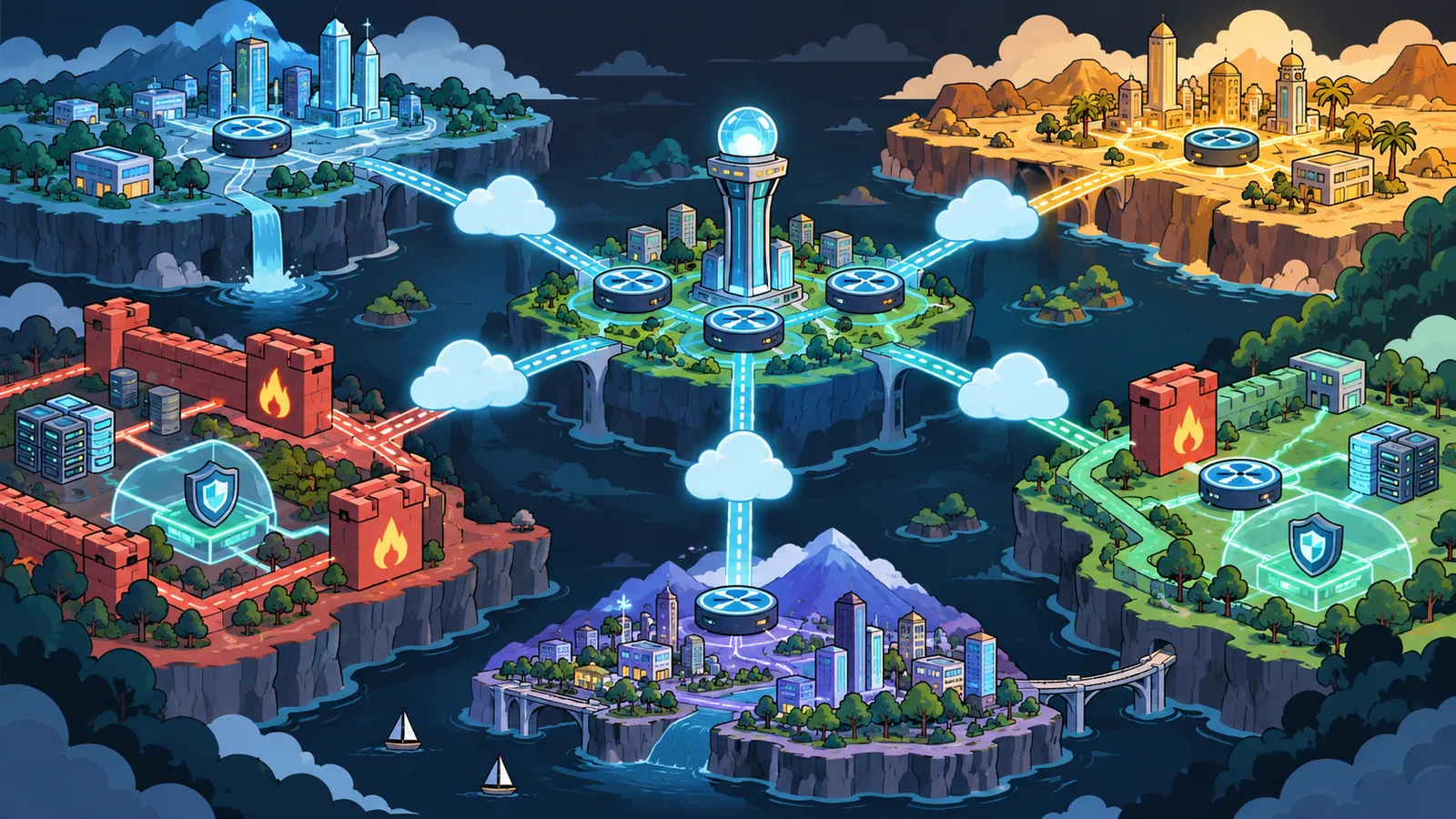
And when the complex grows so much that it's hard to keep organized, you adopt hub and spoke: a central building (the hub) concentrates shared services such as security, DNS and external connectivity, while the other buildings (spokes) connect only to it, never directly to each other.
First solid concept: without a mask, an IP address is ambiguous. 10.50.12.34 on its own doesn't tell you which block it belongs to, just like an apartment number when you don't know whether the first two digits are the floor. 10.50.0.0/20 does: it says the first 20 bits are the network, and it delimits the space the block can use, so it never collides with a neighbor when either of them grows.

You're just kicking the can down the road. A /16 per VNet burns 65,536 addresses at a time, so a few regions and environments exhaust the private ranges your company shares with on-premises, and every peering or VPN has to route around the waste. Several well-sized blocks beat one oversized monolith, and they make segmentation much easier.
You can add ranges to a VNet later, but you can't shrink or move a range that has subnets in use. Fixing a bad plan usually means recreating subnets, moving resources, adjusting routes and NSGs, recreating private endpoints and updating what on-premises routers advertise. In production, that costs weeks and adds risk. Plan early.
With that foundation in place, let's map where each component operates in the network layers, so you know where to look when something breaks.
OSI and TCP/IP models in Azure practice
You don't need to memorize every header field, but you do need to know "where you are" when someone mentions a service:
| Layer (OSI) | TCP/IP equivalent | Focus | Azure examples and concepts |
|---|---|---|---|
| 7 Application | Application | Request semantics | Front Door, Application Gateway (WAF), HTTP, gRPC |
| 6 Presentation | (part of Application) | Format and encoding | TLS termination (Application Gateway, Front Door), compression |
| 5 Session | (part of Application) | Session control | WebSockets through a gateway, TLS handshake |
| 4 Transport | Transport | Reliability and ports | TCP/UDP, Load Balancer, SNAT, health probes |
| 3 Network | Internet | Addressing and routing | VNet, subnet, route table (UDR), BGP (VPN, ExpressRoute) |
| 2 Data link | Network access | Frames, MAC, ARP | Virtual NIC; the Azure SDN abstracts it (no broadcast, no multicast) |
| 1 Physical | Network access | Signal and fiber | The provider's infrastructure, not managed by you |
The TCP/IP model simplifies this into 4 layers (link, internet, transport, application). In the cloud you work mostly at layers 3 to 7. When you create a VNet, you're drawing L3 boundaries; an NSG is a policy over L3 and L4 metadata; an Application Gateway adds L7 logic; and Front Door takes L7 out to the global edge.
Correct. An L3 problem (routing) can't be fixed in an L7 component (the WAF). Efficient troubleshooting starts by identifying the layer where the symptom shows up and proving the layers below it work. Section 6 turns that into a checklist.
How this guide is organized
- Addressing fundamentals (IPv4 and IPv6, CIDR, private ranges, NAT)
- Azure core components (VNet, subnets, NSGs, routes, outbound, Bastion)
- Private and hybrid connectivity (VPN, ExpressRoute, peering, Virtual WAN, Private Link and DNS)
- Delivery services (Load Balancer, Application Gateway, Front Door, Traffic Manager)
- Network security (Azure Firewall, DDoS Protection, Zero Trust, centralized rules)
- Observability and troubleshooting (Network Watcher, VNet flow logs, a layer-by-layer method)
- Performance (hairpinning, accelerated networking, FastPath, caching)
- Architecture patterns (hub and spoke, Virtual WAN, landing zones, multicloud)
- Operations and governance (IP management, IaC, Azure Policy, reviews)
- Final checklist
1. Addressing fundamentals
IP addresses and CIDR ranges
An IP address (Internet Protocol) is a logical identifier assigned to a network interface so packets can find their source and destination. Think of it as the apartment's full address that the mail carrier needs. It isn't burned into the cable; it lives in the packet header at the network layer (layer 3). Two versions are in use: IPv4 (32 bits, dotted decimal) and IPv6 (128 bits, hexadecimal). IP works with transport protocols (TCP, UDP), which use ports to tell applications apart on the same address.
An IPv4 address is written A.B.C.D, and the CIDR suffix (/n) says how many of its 32 bits form the network part. 10.0.0.0/16 keeps 16 bits for the network and leaves 16 for hosts: 65,536 addresses.
IPv4 vs IPv6: why are there two?
IPv4 was designed when nobody imagined billions of connected devices (phones, sensors, cars, watches). Its theoretical space of about 4.29 billion addresses shrinks fast once you remove reserved and private blocks and account for uneven distribution, so conservation mechanisms appeared (NAT, CIDR, CGNAT, below).
IPv6 expands the space to about 3.4 x 10^38 addresses. Beyond quantity, it brings stateless autoconfiguration (SLAAC), simpler headers and no need for NAT to scale. Adoption is slow because of IPv4 legacy: tools, applications and infrastructure that still assume the old standard.
| Aspect | IPv4 | IPv6 |
|---|---|---|
| Size | 32 bits | 128 bits |
| Format | 192.0.2.10 | 2001:db8:85a3::8a2e:370:7334 |
| Scarcity | Yes | No (practically inexhaustible) |
| NAT required | Almost always at scale | Usually unnecessary |
| Configuration | DHCP or manual | SLAAC, optional DHCPv6 |
| Fragmentation | Routers can fragment | Only the source fragments |
| IPsec | Optional add-on | Designed in, but optional in practice |
IP types
- Private: the RFC 1918 ranges
10.0.0.0/8,172.16.0.0/12and192.168.0.0/16, not routable on the internet. Azure also accepts the RFC 6598 shared space100.64.0.0/10as private address space in a VNet. - Public: reachable from the internet. On Azure, a public IP is a resource you attach to a load balancer, a gateway, a firewall or (rarely) a VM.
- Static: doesn't change. Needed for allowlists, DNS records pointing straight at an IP and partners who filter by source.
- Dynamic: assigned on demand. Fine for internal resources that are always reached by name.
- Default outbound IP: the implicit public IP Azure has historically given a VM with no explicit way out to the internet. It's owned by Microsoft, can change without notice and is being phased out: see "Outbound: make it explicit" in section 2.
How the world dealt with IPv4 scarcity
- NAT (Network Address Translation): translates internal private addresses to one public address (or a few) on the way out, so hundreds of devices share one external IP.
- PAT (Port Address Translation): multiplexes many connections over one IP by giving each a different source port. It's what your home router does, and what Azure calls SNAT.
- CGNAT (Carrier-Grade NAT): internet providers put many subscribers behind extra layers of NAT.
- CIDR: flexible block sizes instead of the fixed classes A, B and C, for better use of the space and route aggregation.
- NAT Gateway (Azure): managed, scalable SNAT for a whole subnet, without a public IP per VM.
NAT is a workaround. It breaks the end-to-end principle, makes telemetry and troubleshooting harder (the address you see isn't the one that sent the packet), needs special handling for protocols that carry addresses in the payload (SIP, FTP) and runs out of ports under heavy outbound load. IPv6 brings back the direct model: every device with a unique global address.
Reverse proxy vs NAT
A reverse proxy (Nginx, Envoy, Azure Application Gateway, Front Door) works at the application layer. It terminates the HTTP(S) connection, and can rewrite headers, balance load, authenticate and inspect content. NAT only changes addresses and ports, without understanding what the packet carries.
| Characteristic | NAT/PAT | Reverse proxy |
|---|---|---|
| Layer | L3/L4 | L7 |
| Protocol awareness | No | Yes (HTTP, gRPC) |
| Changes the payload | No | Can (headers, compression) |
| Main goal | Save IPs, reach the internet | Security, load balancing, observability |
| What the logs show | Flows (5-tuple) | Method, path, status, latency |
Dual stack and a gradual transition
Most environments move to IPv6 through dual stack: IPv4 and IPv6 side by side. On Azure, a VNet and its subnets can have IPv6 ranges (IPv6 subnets must be exactly /64), a Standard Load Balancer can be dual stack, Application Gateway v2 accepts an IPv6 frontend (on new gateways in a dual-stack VNet, with IPv4 backends) and Front Door serves IPv6 clients at the edge.
A strategy that works:
- Plan documented IPv6 ranges, with the same care as IPv4.
- Enable IPv6 at the edge first (Front Door, public load balancers) while the interior stays on IPv4.
- Measure: share of IPv6 requests, latency compared with IPv4, errors per protocol.
Two things change on the way. Security: NSG and firewall rules must cover IPv6 explicitly; an IPv4-only rule set doesn't protect the IPv6 path. Monitoring: flow logs and dashboards need both protocols for a complete picture.
Exactly. Rigorous IPv4 planning first (CIDR with no overlap), then IPv6 where it pays off (the public edge, APIs with huge client populations, IoT). Dual stack avoids a big-bang migration.
How big should a subnet be?
Here is the detail most tables on the internet get wrong for Azure: Azure reserves 5 addresses in every subnet. In 192.168.1.0/24, those are .0 (the network), .1 (the default gateway), .2 and .3 (mapped to Azure DNS) and .255 (the broadcast address, even though VNets don't support broadcast). The smallest IPv4 subnet Azure accepts is a /29 and the largest a /2.
| Prefix | Total addresses | Usable on Azure | Typical use |
|---|---|---|---|
| /29 | 8 | 3 | The smallest allowed; rarely worth it |
| /28 | 16 | 11 | DNS Private Resolver endpoints, tiny tiers |
| /27 | 32 | 27 | GatewaySubnet |
| /26 | 64 | 59 | Azure Firewall, Azure Bastion, private endpoints |
| /24 | 256 | 251 | A normal application tier |
| /22 | 1,024 | 1,019 | A spoke's whole range, AKS node pools |
| /20 | 4,096 | 4,091 | AKS with Azure CNI (one IP per pod) |
| /16 | 65,536 | 65,531 | A regional block to carve, not one workload |
Size for peaks, not for today's average. The classic exhaustion is AKS with the traditional Azure CNI, where every pod takes an IP from the subnet; with Azure CNI Overlay, pods get addresses from a separate range outside the VNet, and the subnet only has to fit the nodes.
Private ranges and overlap
Azure uses the same private ranges as your data center, and that's exactly where the danger is: the day you connect them by VPN or ExpressRoute, any overlap between on-premises and cloud becomes an unreachable range. Keep one address plan for the whole company, cloud included, and carve regional blocks from it.
You can check a plan before a single resource exists. This script, which uses only the Python standard library, lays out a hub and two spokes, applies the 5 reserved addresses and the minimum sizes of the dedicated subnets, and looks for overlaps inside the plan and against on-premises. I planted one mistake in it on purpose:
"""Check an Azure address plan before any of it exists: sizes, overlaps, reserved names."""
from ipaddress import ip_network
from itertools import combinations

AZURE_RESERVED = 5  # network, gateway, 2 x Azure DNS, broadcast
MIN_PREFIX = {  # dedicated subnets with a minimum size
    "GatewaySubnet": 27,
    "AzureFirewallSubnet": 26,
    "AzureBastionSubnet": 26,
    "snet-dns-inbound": 28,
    "snet-dns-outbound": 28,
}

on_premises = {"datacenter-sp": "10.0.0.0/14", "branches": "172.20.0.0/16"}

plan = {
    "vnet-hub (10.40.0.0/22)": {
        "GatewaySubnet": "10.40.0.0/27",
        "snet-dns-inbound": "10.40.0.32/28",
        "snet-dns-outbound": "10.40.0.48/28",
        "AzureFirewallSubnet": "10.40.0.64/26",
        "AzureBastionSubnet": "10.40.0.128/26",
    },
    "vnet-app (10.40.4.0/22)": {
        "snet-web": "10.40.4.0/24",
        "snet-aks-nodes": "10.40.5.0/24",
        "snet-private-endpoints": "10.40.6.0/26",
    },
    "vnet-data (10.40.8.0/23)": {
        "snet-data": "10.40.8.0/24",
        "snet-private-endpoints": "10.40.9.0/26",
        "snet-legacy-import": "10.3.200.0/24",
    },
}

problems = []
subnets = []
for vnet, members in plan.items():
    vnet_range = ip_network(vnet.split("(")[1].rstrip(")"))
    print(f"{vnet}")
    for name, cidr in members.items():
        net = ip_network(cidr)
        usable = net.num_addresses - AZURE_RESERVED
        print(f"  {name:<24} {cidr:<16} {usable:>5} usable")
        if not net.subnet_of(vnet_range):
            problems.append(f"{name} {cidr} is outside {vnet_range}")
        if name in MIN_PREFIX and net.prefixlen > MIN_PREFIX[name]:
            problems.append(f"{name} {cidr} is smaller than /{MIN_PREFIX[name]}")
        subnets.append((f"{vnet.split()[0]}/{name}", net))

for (a, net_a), (b, net_b) in combinations(subnets, 2):
    if net_a.overlaps(net_b):
        problems.append(f"{a} {net_a} overlaps {b} {net_b}")
for label, net in subnets:
    for site, cidr in on_premises.items():
        if net.overlaps(ip_network(cidr)):
            problems.append(f"{label} {net} overlaps on-premises {site} {cidr}")

print("\nproblems:" if problems else "\nno problems found")
for problem in problems:
print(f" - {problem}")$ python plan_addresses.py
vnet-hub (10.40.0.0/22)
GatewaySubnet 10.40.0.0/27 27 usable
snet-dns-inbound 10.40.0.32/28 11 usable
snet-dns-outbound 10.40.0.48/28 11 usable
AzureFirewallSubnet 10.40.0.64/26 59 usable
AzureBastionSubnet 10.40.0.128/26 59 usable
vnet-app (10.40.4.0/22)
snet-web 10.40.4.0/24 251 usable
snet-aks-nodes 10.40.5.0/24 251 usable
snet-private-endpoints 10.40.6.0/26 59 usable
vnet-data (10.40.8.0/23)
snet-data 10.40.8.0/24 251 usable
snet-private-endpoints 10.40.9.0/26 59 usable
snet-legacy-import 10.3.200.0/24 251 usable
problems:
- snet-legacy-import 10.3.200.0/24 is outside 10.40.8.0/23
- vnet-data/snet-legacy-import 10.3.200.0/24 overlaps on-premises datacenter-sp 10.0.0.0/14Someone "borrowed" a range they had seen in an old spreadsheet, and the script caught both consequences: the subnet doesn't fit its VNet, and it collides with the São Paulo data center. That's a two-minute fix now and a migration project later. Run a check like this in the pipeline that owns your address plan.
2. Azure core components
Virtual Network (VNet)
A VNet is an isolated network in one region and one subscription: you pick one or more address ranges (for example 10.40.4.0/22) and carve subnets from them. Traffic between subnets of the same VNet is routed by default, with no gateway. Plan VNets by purpose (vnet-hub, vnet-app, vnet-data) and by environment, never by team org chart, which changes more often than networks should.
Subnets
Subnets separate functions: front end, application, data, private endpoints, and the dedicated subnets that some services require by name:
| Subnet name | Used by | Minimum size |
|---|---|---|
GatewaySubnet | VPN and ExpressRoute gateways | /27 recommended |
AzureFirewallSubnet | Azure Firewall | /26 |
AzureBastionSubnet | Azure Bastion | /26 |
| Resolver inbound and outbound | Azure DNS Private Resolver (delegated) | /28 |
Services like App Service VNet integration, Container Apps or SQL Managed Instance also use delegated subnets, which belong to one service each. Reserve room for them in the plan, even if you don't need them yet.
Separate subnets reduce the blast radius. If a bad rule or route hits the application subnet, the data subnet stays intact. They also let you write targeted NSGs (the database only accepts port 1433 from the application subnet) instead of an endless rule list full of exceptions, and some services simply refuse to share a subnet.
NSG (Network Security Group)
An NSG filters traffic by the 5-tuple: source, source port, destination, destination port and protocol. It's stateful: if a rule allows a connection out, the response comes back without an inbound rule, and vice versa. Each rule has a priority from 100 to 4096 (lower numbers are evaluated first, and the first match wins), a direction, a protocol, source and destination, ports and an action.
Every NSG also carries default rules you can't delete, only override with higher-priority rules: inbound, AllowVNetInBound (65000), AllowAzureLoadBalancerInBound (65001) and DenyAllInbound (65500); outbound, AllowVnetOutBound, AllowInternetOutBound and DenyAllOutBound. Note the second outbound rule: out of the box, an NSG allows everything to the internet.
Three features keep rule sets readable. Service tags (Internet, VirtualNetwork, AzureLoadBalancer, Storage.BrazilSouth) stand for ranges Microsoft maintains. Application security groups let you write "web servers can reach app servers" instead of lists of IPs. And security admin rules in Azure Virtual Network Manager apply centrally across many VNets and are evaluated before any NSG, which is how a platform team enforces "SSH from the internet is never allowed" without trusting every workload team.
An NSG can be attached to a subnet and to a NIC. For inbound traffic, the subnet NSG is evaluated first and then the NIC NSG; for outbound, the NIC first and then the subnet. Traffic must be allowed by both. Microsoft's own advice is to pick one level, usually the subnet: rules at both levels conflict in ways that are hard to troubleshoot.
"Temporary" rules become forgotten rules, and scanners find an open management port within minutes. Apply least privilege from day one. For debugging, create a narrow rule (your IP, one port) with the expiry in its name or a tag, and let the pipeline delete it. Also remember that removing a rule doesn't cut connections that are already open: NSG changes only affect new connections.
A simplified rule that lets the internet reach port 443 of a web tier, and nothing else:
{
  "name": "Allow-Internet-HTTPS-To-Web",
  "properties": {
    "priority": 200,
    "direction": "Inbound",
    "access": "Allow",
    "protocol": "Tcp",
    "sourceAddressPrefix": "Internet",
    "sourcePortRange": "*",
    "destinationAddressPrefix": "10.40.4.0/24",
    "destinationPortRange": "443"
  }
}
Route tables and how Azure picks a route
Azure creates a route table for every subnet with system routes: the VNet's own ranges, 0.0.0.0/0 to the internet, and drop routes for private ranges you don't use. Peerings and gateways add their own routes, and BGP (from VPN or ExpressRoute) adds the prefixes your network advertises. User-defined routes (UDRs) in a route table change the next hop for specific destinations: to an appliance for inspection, to a gateway, or to nowhere (None) to drop traffic.
When several routes match a destination, Azure chooses in two steps:
- Longest prefix match. A
/24beats a/16, which beats a/0, whatever their source. - For identical prefixes, a UDR wins over a BGP route, which wins over a system route. The exception: system routes for the VNet's own ranges, peerings and service endpoints are preferred even over more specific BGP routes, and service endpoint routes can't be overridden at all.
Two operational details bite people. The next hop of a VirtualAppliance route must have IP forwarding enabled on its NIC (and usually in the operating system too), otherwise Azure drops the forwarded packets. And every forced path needs a matching return path: if traffic goes out through the firewall and the response comes back directly, the firewall sees half a conversation and drops the session. That asymmetry is the most common cause of "it connects, then hangs".
Also, never associate a route table with 0.0.0.0/0 to the GatewaySubnet; it can stop the gateway from working.
Not always. Forcing chatty internal traffic (cache, replication inside a tier) through the firewall adds latency, cost and a single choke point, without much security in return. Send the flows that need inspection or controlled egress: internet egress, traffic between spokes, traffic to and from on-premises.
Outbound: make it explicit
Historically, a VM without any explicit way out got a default outbound access IP owned by Microsoft. That IP can change without notice, doesn't support ICMP or fragmented packets, and gives you no control over what your servers reach, so Microsoft is retiring the behavior. For API versions released after March 31, 2026, subnets in new VNets are private by default (defaultOutboundAccess: false), and the portal already creates them that way. Existing VNets keep the old behavior until you change their subnets.
In a private subnet, a VM only reaches the internet through an explicit method:
- NAT Gateway on the subnet, the recommended default for most workloads: static public IPs, lots of SNAT ports, no inbound exposure.
- Outbound rules on a Standard Load Balancer.
- A public IP on the VM's NIC (rarely what you want).
- A UDR to a firewall or appliance that does the egress, as in hub and spoke.
Note that Windows activation and updates also need that explicit path. And to change an existing subnet to private, the VMs in it must be stopped and deallocated for the change to reach their NICs.
Public and private IPs
Prefer exposing services through a delivery layer (Front Door, Application Gateway, a load balancer) and reaching PaaS through private endpoints. A public IP directly on a VM is rarely necessary. When you do create public IPs, use the Standard SKU: Basic public IPs and the Basic Load Balancer were retired in September 2025.
Azure Bastion
Bastion gives you RDP and SSH to VMs from the browser or the native client, over TLS, without any public IP on the VMs or management ports open to the internet. It lives in the hub's AzureBastionSubnet and can reach VMs in peered spokes.
3. Private and hybrid connectivity
Site-to-site VPN
An IPsec tunnel over the internet between your data center (or office) and a VPN gateway in Azure. It's the fastest way to start. For new gateways, use the zone-redundant SKUs (VpnGw1AZ to VpnGw5AZ), which go from 650 Mbps to 10 Gbps of aggregate throughput; the non-zonal SKUs are being migrated, and Basic isn't meant for production. A single tunnel tops out well below the aggregate (Microsoft measured around 1.25 to 2.3 Gbps per tunnel with GCMAES256 on the larger SKUs), so high throughput needs several tunnels. Use active-active gateways and BGP for failover you don't have to touch.
Throughput alone is rarely the reason: a VpnGw5AZ moves 10 Gbps. You move to ExpressRoute when you need what the internet can't promise: consistent latency and jitter for latency-sensitive workloads, predictable bandwidth under load, a connection that doesn't depend on your internet link, or a compliance requirement for private connectivity. Many companies keep the VPN as the backup path for ExpressRoute.
ExpressRoute
A private connection between your network and Microsoft's, provisioned through a connectivity provider, with bandwidth from 50 Mbps to 10 Gbps per circuit (ExpressRoute Direct offers 10, 100 or 400 Gbps ports). Routing is BGP, and each circuit has two connections to two Microsoft edge routers; for maximum resiliency, Microsoft recommends two circuits in two different peering locations. There are two peerings: private (your VNets) and Microsoft (public Microsoft services, recommended for Microsoft 365 only in specific scenarios).
Two things surprise people. ExpressRoute is private, but not encrypted by default: use MACsec on ExpressRoute Direct or IPsec over the private peering when you need encryption in transit. And a standard circuit reaches the regions of its geopolitical area; Premium extends it globally, Global Reach connects your on-premises sites through Microsoft's backbone, and FastPath sends traffic straight to the VMs, bypassing the gateway on the data path.
For PaaS, the pattern is a private endpoint inside a VNet: ExpressRoute gives you the private path to the VNet, and the private endpoint completes the journey to the service. Microsoft peering exists, but it reaches the services' public endpoints, which is exactly what private endpoints let you avoid.
VNet peering
Peering connects two VNets, in the same region or across regions (global peering), over Microsoft's backbone, with no gateway and low latency. The rule everything else depends on: peering is not transitive. If the app spoke peers with the hub and the data spoke peers with the hub, app and data can't talk to each other through the hub on their own. Traffic between spokes needs UDRs pointing to a firewall or router in the hub, with forwarding allowed on the peerings. Reaching on-premises through the hub's gateway also needs its own settings: gateway transit on the hub side and use remote gateways on the spoke side.
The lines in the picture are peerings with the hub, not automatic transit: every path between spokes, and between a spoke and on-premises, is something you configure. Section 8 comes back to this topology as a whole.
Virtual WAN
Virtual WAN is a Microsoft-managed hub: VPN, ExpressRoute, SD-WAN, user VPN and inter-hub routing as one service, with routing between spokes (and between hubs) built in. It trades control for less work: it shines with many branches or many regions, while a customer-managed hub and spoke gives you full control of every route.
Private Link, private endpoints and service endpoints
A private endpoint is a NIC with a private IP in your subnet that maps to one specific PaaS resource (a storage account, a SQL server, a Key Vault). Traffic to it stays on private addresses, works from peered VNets and from on-premises over VPN or ExpressRoute, and can't be used to reach other customers' resources. A service endpoint is simpler and older: the subnet reaches the service's public endpoint over the backbone, and the service can allow that subnet; it doesn't work from on-premises, and the service still has a public address.
Creating a private endpoint doesn't close the public door. Disable public network access on the resource itself, or the private endpoint is just an extra entrance.
Private DNS: where private endpoints usually fail
Your application keeps using the service's public name (orders.database.windows.net), because TLS certificates and authentication depend on it. What changes is the answer: the public name is a CNAME to orders.privatelink.database.windows.net, and a private DNS zone for privatelink.database.windows.net, linked to your VNets, returns the private endpoint's IP. From on-premises, your DNS servers forward those zones to the inbound endpoint of Azure DNS Private Resolver in the hub.
Resolution and the data path are two separate problems. A correct DNS answer doesn't create a route, and a working route doesn't authorize anything in the database. When a private endpoint "doesn't work", check them in that order: what did the name resolve to, from where; then can packets reach that IP; then does the service accept the identity.
4. Delivery services
| Service | Layer | Scope | What it does | Typical use |
|---|---|---|---|---|
| Load Balancer | L4 | Regional | Distributes TCP/UDP flows | Non-HTTP services, AKS, NVA pairs |
| Application Gateway (WAF) | L7 | Regional | HTTP routing, TLS, WAF | Web apps and APIs in a region |
| Front Door | L7 | Global | Edge routing, caching, WAF, failover | Public sites and APIs, multi-region |
| Traffic Manager | DNS | Global | Answers DNS by policy | Failover for non-HTTP, hybrid endpoints |
Application Gateway
A regional reverse proxy: routing by host and path, TLS termination and end-to-end TLS, redirects, header rewrites and an optional Web Application Firewall based on OWASP rule sets. Use the v2 SKU, with autoscaling and availability zones, and let it autoscale on your real traffic instead of guessing a fixed size.
No. Application Gateway is regional and doesn't cache. For caching and global acceleration, use Front Door, which is now Azure's CDN too: Azure CDN from Microsoft (classic) retires on September 30, 2027, and new profiles already go to Front Door Standard or Premium.
Front Door
A global L7 entry point on Microsoft's edge: TLS close to the user, caching, compression, WAF policies and health-based failover between origins. It routes between origins with four methods (latency, priority, weighted and session affinity); geographic rules come from the rules engine or the WAF, not from the routing method. Use the Standard or Premium tier: Front Door (classic) retires on March 31, 2027. Premium adds managed WAF rule sets, bot protection and Private Link origins, which let Front Door reach an origin that has no public endpoint at all.
When the origin is public, locking it down is your job. Front Door doesn't stop anyone from calling the origin directly, and a WAF you can bypass isn't a control:
Allow only the AzureFrontDoor.Backend service tag at the origin, validate the X-Azure-FDID header against your own profile's ID (the tag alone covers every Front Door customer), and deny everything else. And keep the two boundaries in the picture separate: the storage private endpoint protects the data path, not the application's public ingress.
It depends on what's behind it. Front Door alone is enough for many apps (App Service, Container Apps, storage websites). Application Gateway behind Front Door makes sense when you need regional L7 logic inside a VNet: private backends in AKS, complex path rules per region, or a WAF policy close to the workload. Chaining both is common and fine, as long as you know why each hop exists.
Load Balancer
Layer 4, very high throughput, for anything that isn't HTTP or where you want the application to terminate TLS itself: databases in clusters, AKS services of type LoadBalancer, pairs of network appliances (with HA ports). Always the Standard SKU, which is zone-redundant and secure by default: it only accepts inbound traffic that an NSG allows.
Traffic Manager
A DNS-based router: it answers each query with the endpoint chosen by policy (priority, weighted, performance, geographic, multivalue or subnet). Because it's DNS, it works for any protocol and any endpoint, including on-premises, but failover depends on clients respecting the TTL. For HTTP, Front Door is usually the better tool; Traffic Manager covers the rest.
5. Network security
Azure Firewall vs NVAs
Azure Firewall is a managed, stateful firewall with built-in high availability and autoscaling, in three SKUs: Basic (up to 250 Mbps, for small environments), Standard (up to 30 Gbps, with threat intelligence, network-level FQDN filtering, web categories and DNS proxy) and Premium (up to 100 Gbps, adding outbound TLS inspection, IDPS and full URL filtering). Policies are managed centrally with Firewall Manager. NVAs (Fortinet, Palo Alto, Check Point and others) bring vendor features and the operating model your security team may already know, at the cost of running high availability, scaling and patching yourself.
Decide with a requirements matrix: TLS inspection, IDPS, the skills of the team that will operate it, integration with your SIEM, cost at your traffic volume.
An expensive firewall with an "allow any" rule is an expensive router. Security comes from the rules and from the discipline to keep them small and reviewed. Operational simplicity often delivers more real security than a powerful tool nobody on the team fully understands.
DDoS Protection
Every Azure resource already gets the platform's infrastructure DDoS protection at no cost, and Front Door absorbs volumetric attacks at the edge. For public IPs inside your VNets (load balancers, Application Gateways, firewalls), DDoS Network Protection (per VNet) or DDoS IP Protection (per public IP) adds mitigation tuned to your traffic profile, attack telemetry and alerts; Network Protection also includes access to Microsoft's DDoS Rapid Response team and cost protection. Protect the public entry points of critical workloads, and combine them with a WAF for layer 7 attacks, which DDoS protection doesn't address.
Zero Trust in the network
Assume a breach and limit what it can reach: segment by subnet and application, deny east-west traffic by default, inspect traffic between spokes and to the internet, never expose management ports (use Bastion), and require strong identity for administration (Entra ID, RBAC and Privileged Identity Management). The network is one layer of Zero Trust, not all of it: a request that passes every network control still needs to be authenticated and authorized by the service.
Defender for Cloud
Continuous posture management: it flags internet-exposed management ports, subnets without NSGs, resources with public network access that could be private, and recommends just-in-time VM access. Treat its recommendations as a backlog, not as noise.
6. Observability and troubleshooting
Network Watcher
Network Watcher is the toolbox for proving what the network is doing, instead of guessing:
- IP flow verify: would this packet be allowed, and by which NSG rule?
- Next hop and effective routes: where would this packet go, and which route won?
- Effective security rules: the combined NSG rules actually applied to a NIC.
- Connection troubleshoot: a real connection test between two points, with the hop where it fails.
- Connection monitor: continuous reachability and latency between endpoints, including on-premises.
- Packet capture: when you need to see the packets themselves.
- Topology: a map of the resources and how they connect.
VNet flow logs
Flow logs record the IP flows that cross your network: 5-tuple, decision and volume. Use VNet flow logs. NSG flow logs retire on September 30, 2027, and no longer accept new configurations; VNet flow logs cover the whole VNet, including traffic that no NSG evaluates, and feed traffic analytics in Log Analytics for top talkers, blocked flows and unexpected destinations.
You'll have a large bill and the same doubts. Data nobody queries is noise. Start with VNet flow logs on the important VNets, firewall logs, gateway metrics and a few alerts that mean something (tunnel down, SNAT port exhaustion, health probe failures), and add more only when a real question needs it.
Troubleshooting, layer by layer
Most network incidents are solved by proving each layer in order, from the environment where the failure happens, and collecting the evidence before changing anything:
- DNS: what did the name resolve to, and from which resolver? A private endpoint answered with a public IP is the classic.
- Route: which route won, and is there a return path? Effective routes and next hop answer that.
- TCP and policy: does the port open end to end? Test the real port, and read the effective NSG rules and the firewall logs.
- TLS: does the handshake complete with the right hostname? A certificate for the wrong name looks like a network error to many clients.
- HTTP and identity: is the request right, and does the caller have permission? A 403 is an answer, which means the network worked.
A layer that works doesn't prove the next one does, and a higher layer can't fix a lower one: remember the WAF and the route.
7. Performance
- Avoid hairpinning. Traffic that leaves a region to be inspected in another, or goes to on-premises and back to reach a neighbor spoke, pays latency twice. Keep inspection and egress in the same region as the workloads, one hub per region.
- Accelerated networking bypasses the host's virtual switch on the data path and lowers latency and jitter; enable it on every VM size that supports it.
- Keep chatty tiers close. Availability zones add a small amount of latency between tiers; proximity placement groups keep latency-critical VMs physically close when that matters more than zone resiliency.
- ExpressRoute FastPath removes the gateway from the data path for high-throughput hybrid traffic.
- Cache at the edge. Front Door caching removes round trips to the origin for static content and can accelerate dynamic content too.
- Summarize BGP routes. Advertise the fewest, largest prefixes you can in both directions: route limits exist, and huge route tables slow convergence.
8. Architecture patterns
Hub and spoke
The hub holds what everyone shares: the VPN or ExpressRoute gateway, Azure Firewall, DNS Private Resolver and Bastion. Each workload gets its own spoke, peered only with the hub. That gives you one place to inspect and control traffic, isolation between workloads, and a clear line of ownership between the platform team (the hub) and application teams (the spokes).
As the diagram in the peering section shows, the hub is adjacency, not automatic transit. Because peering isn't transitive, spoke-to-spoke traffic works only when both spokes route to the firewall (UDRs in both directions), the peerings allow forwarded traffic and the firewall has a rule for it. Hybrid traffic needs gateway transit on the hub and remote gateways on the spokes, and DNS needs the private zones linked where resolution happens.
Virtual WAN as the hub
When you have many branches, many regions or SD-WAN, a Virtual WAN hub replaces the hub VNet and handles routing between spokes, branches and other hubs for you. Secured hubs add Azure Firewall with routing intent. You write fewer UDRs and give up some fine-grained control.
Selective mesh
Direct peering between a few spokes that exchange a lot of latency-sensitive traffic, bypassing the hub on purpose. Azure Virtual Network Manager can manage these connectivity groups declaratively. Keep it an exception: every direct link is a path the firewall doesn't see.
Landing zones
The Cloud Adoption Framework's Azure landing zones package all of this into a standard foundation: management groups, policy, identity, a connectivity subscription with the hub (or Virtual WAN) and application landing zones for the spokes. If you're starting an enterprise environment, start from the reference implementation instead of from a blank subscription.
Multicloud
Connect Azure to other clouds with a site-to-site VPN between their gateways, or privately through a connectivity provider or colocation exchange that reaches both clouds. The addressing rules don't change: one company-wide address plan, no overlaps, and summarized routes in both directions.
9. Operations and governance
- IP address management. One source of truth for the address plan (an IPAM tool, or a versioned file checked in CI like the script in section 1), with every allocation owned by someone.
- Infrastructure as code. VNets, subnets, NSGs, routes and DNS zones in Bicep or Terraform, reviewed in pull requests. Networks drift fast when they're changed in the portal.
- Azure Policy. Deny what should never exist: public IPs on NICs, subnets without NSGs, storage accounts with public network access, resources outside approved regions.
- Rule reviews. Every quarter, look for rules that allow too much, rules nobody can explain, and rules with no hits in the flow logs.
- Cost. Data processed by the firewall, by NAT Gateway and by private endpoints, data transfer between regions and across global peering, and log ingestion add up. Look at them before they surprise you on the invoice.
10. Final checklist
| Item | Done? | Note |
|---|---|---|
| Company-wide address plan, no overlaps | ☐ | Includes on-premises and other clouds |
| Subnets sized for peaks, 5 reserved addresses counted | ☐ | Room for dedicated and delegated subnets |
| Hub and spoke (or Virtual WAN) in place | ☐ | Transit between spokes is explicit |
| NSGs on every subnet, least privilege | ☐ | Service tags and ASGs instead of IP lists |
| Explicit outbound (NAT Gateway or firewall) | ☐ | Private subnets, no default outbound access |
| Private endpoints for sensitive PaaS | ☐ | Public network access disabled on the resource |
| Private DNS zones and Private Resolver | ☐ | Resolution tested from on-premises too |
| Public entry through Front Door or Application Gateway | ☐ | Origins locked down, WAF enabled |
| DDoS protection assessed for public IPs | ☐ | Critical workloads |
| VNet flow logs and traffic analytics | ☐ | NSG flow logs migrated |
| Network Watcher and key alerts | ☐ | Tunnels, SNAT, health probes |
| Everything in IaC, guarded by Azure Policy | ☐ | Versioned Bicep or Terraform |
| Quarterly review | ☐ | Rules, routes, costs |
Conclusion
Networking on Azure isn't creating a VNet and moving on. It's composing layers: an address plan that survives growth, isolation by subnet and spoke, explicit paths for every flow (in, out and between spokes), private access to data with DNS that resolves it, observability that can prove what happened, and governance that keeps it all from drifting.
Start small, write your decisions down, automate early and review regularly. That's how a network foundation stays boring, which is the best compliment a network can get.
Build a lab: a hub VNet with Azure Firewall, DNS Private Resolver and Bastion; two spokes (app and data) peered with the hub; a storage account with public access disabled and a private endpoint in the data spoke; UDRs so app-to-data traffic goes through the firewall; and VNet flow logs with traffic analytics. Then break it on purpose (remove a DNS zone link, delete a return route) and find the problem with the layer-by-layer method.
Share this post
Related Items
- Bloglaya-classifier: an email security screener where the model reads and the code checksI built a working phishing screener on Laya, the open-weights decision model: five typed questions in one forward pass, deterministic checks on the headers, and a policy that needs evidence before it quarantines.
- BlogAgenticMesh: AI architecture that runs beyond the diagramHow I built a RAG MVP with FastAPI, Celery, Qdrant, Azure AI Foundry, and streaming, and what production still requires.
- BlogRunning Claude Agents in the Background: Headless Runs, Schedules, Routines and the Agent SDKEvery way to run a Claude agent while nobody is watching, from claude --bg to Managed Agents, and a tested nightly setup with permissions, hooks, budgets and a report you can trust.
Comments
Questions, corrections, or your own take are all welcome. Sign in with GitHub to join in.